



Members' Frequently Asked Questions (F.A.Q.)
To ensure our events run smoothly and everyone gets the most out of their time in the field, we have compiled a comprehensive guide addressing our most common queries. Whether you are a new arrival preparing for your first day dig or a seasoned detectorist looking to clarify our portal's registration system, vehicle sharing policies, or Digger Rating guidelines, you will find all the essential information detailed below to help you navigate your membership with ease.
Where can I view your upcoming digs?
You can view and register for all scheduled digs via the 'View Digs' page on our members' portal. During registration, please indicate if you will be travelling in your own vehicle or participating in a car share, as these transport details allow us to efficiently manage the site on the day.
How to register / apply to attend one of our digs?
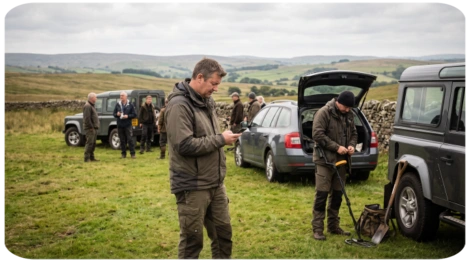
To apply, log into the members' portal, navigate to the 'View Digs' page, and select 'Register' or 'Apply' for your chosen event before the closing deadline. You will need to specify your transport arrangements via the drop-down menus, including selecting a pre-registered vehicle from your profile if you intend to drive, though you may amend or cancel your booking at any time beforehand. Once registration concludes, confirmed attendees will automatically receive an email with a link to download the final instructions, which will also be accessible directly on the portal.
What are the different Dig Registration Types?
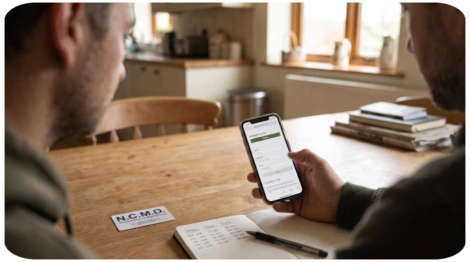
We utilise two primary registration methods to effectively manage site capacity and parking constraints, ensuring a safe and fair experience for all members.
First Come, First Served This is our standard and most frequent registration method. Once a new dig is announced, members can secure their place immediately via the portal. If the event reaches its maximum capacity, subsequent registrants are automatically placed on a reserve list in chronological order of their application. Should a confirmed attendee cancel their booking before the registration closing date, the member at the top of the reserve list is automatically promoted to the confirmed list and notified via email.
Member Random Selection Draw We employ this method for events that are anticipated to be heavily oversubscribed. To guarantee fair access, all interested members have an equal opportunity to apply during the initial registration window. On the designated draw date, our system randomly selects attendees to fill the available spaces. All applicants, regardless of the outcome, are notified via email. Those who are not initially selected are automatically placed on a reserve list; if a confirmed attendee later withdraws, the system will randomly draw a replacement from this reserve pool and notify them immediately.
What is the difference between a Day Dig or Period Dig?
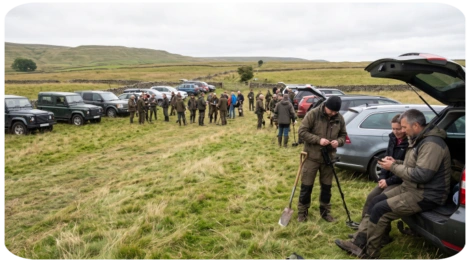
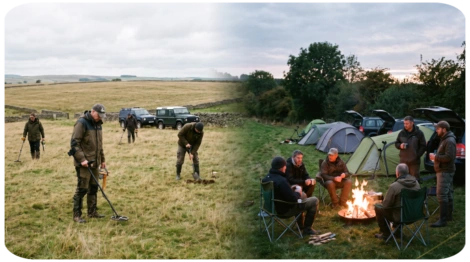
Our standard schedule primarily consists of Day Digs, which typically commence around 9:00 am and conclude just before dusk, subject to seasonal daylight hours. Conversely, Period Digs are extended weekend events where attendees arrive on site on a Friday to set up camp, departing on Sunday or early Monday morning. These multi-day gatherings provide an excellent opportunity to build camaraderie and socialise with fellow detectorists around an evening campfire.
How do I add / amend my vehicle details?
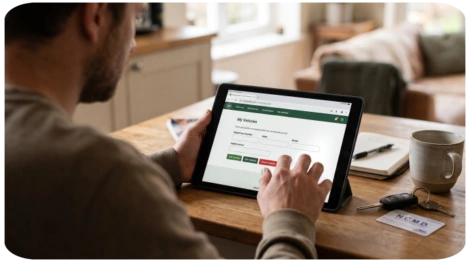
To manage your transport options, log into the members' portal and select 'My Vehicles'. The details provided here are strictly confidential and used solely by our administration team to coordinate site parking on the day of an event.
- Add a vehicle: Click 'Add Vehicle', enter your registration number, make, and model, then select 'Submit'.
- Edit a vehicle: Click 'Edit Vehicle', update the relevant details as required, and select 'Submit'.
- Remove a vehicle: Click 'Delete Vehicle' and confirm your choice by selecting 'YES' when prompted.
How do I use your Vehicle Sharing registration system?
Our vehicle sharing system allows members to coordinate travel arrangements, with all details kept strictly confidential for administrative use on the day. To participate, both the driver and the passenger must hold a confirmed place on the same dig; vehicle sharing cannot be arranged with members on the reserve list or prior to a Random Selection Draw taking place.
Offering a lift: The driver must have registered with their 'OWN VEHICLE' (indicated by a car icon on the attendees list). To add a passenger, click 'Vehicle Sharing', select the relevant member's tag name, and click 'Add Occupant to Vehicle'.
Receiving a lift: The passenger must have registered with 'NO VEHICLE' (indicated by a person icon) and ensure vehicle sharing is enabled within their 'My Account' settings. To permanently opt out of receiving lift offers, change your 'Vehicle Sharing Preferences' to 'NO' in your account settings.
Managing arrangements: Prior to the registration closing date, either party can cancel the arrangement by selecting the relevant tag name and clicking 'Remove Selected Vehicle Occupant'. If an occupant is removed, or if the driver subsequently withdraws from the dig entirely, automated email notifications will instantly alert all affected parties.
What is the Dig Registration Timeline?
Every scheduled dig follows an automated timeline viewable via the 'Timeline' button on the portal, beginning with a 'New Dig Notification' email to commence registration, which may include a 'Random Member Selection Draw' for heavily oversubscribed events. The 'Dig Registration Close Date' marks the final deadline for amendments; failing to withdraw before this point if you are unable to attend may negatively impact your 'Digger Rating'. Finally, the 'Attendees Email Notify Date' triggers an automated email providing confirmed attendees with a link to download the essential instructions PDF required for the day.

What are the maximum vehicle limits that are applied to some digs?
Occasionally, limited on-site parking requires us to impose a strict vehicle limit for a dig, even if the overall attendee capacity has not been reached. In these instances, we strongly encourage members to arrange a vehicle share or secure responsible off-site parking by selecting the 'NO VEHICLE' option during registration. Please be aware that arriving at the dig site in a vehicle after explicitly registering without one will result in immediate refusal of entry and negatively impact your Digger Rating.

What is our Digger Rating System?
Overview and Purpose Every member is automatically assigned a starting 'Digger Rating' of 100 points upon joining. We implemented this system to ensure fairness and uphold site etiquette across our community. Its primary purpose is to discourage members from securing a place on a dig and subsequently failing to attend, a practice that unfairly deprives others of the opportunity to participate when event capacities are limited.
How Penalties are Applied If a member fails to adhere to our community guidelines, point deductions are applied to their account. For instance, failing to attend a booked dig without cancelling beforehand may incur a 20-point penalty, reducing the total rating to 80. Similarly, poor site etiquette, such as failing to properly refill a hole, may result in a 15-point deduction. It is crucial to maintain a good standing, as every scheduled dig carries a minimum Digger Rating threshold; if your score falls below this requirement, you will be temporarily restricted from registering for that specific event.
How to Restore Your Rating We have built an automatic recovery process into the system to allow members to regain their standing over time. Following the conclusion of every scheduled dig, our system automatically adds a set increment (for example, 10 points) back to the accounts of any members currently sitting below the maximum 100-point threshold. This steady increase occurs regardless of whether you attended that specific dig or not, continuing until your rating is fully restored to 100.
How can I change my details on the members portal?
Once logged into the members' portal, you can efficiently manage and update your account information at any time. Through your profile settings, you can renew your membership, update your N.C.M.D. registration and expiry dates, and amend personal information including your name, address, tag name, and contact details. Furthermore, the portal allows you to easily add emergency contacts, update your email and password, and adjust both your communication and vehicle sharing preferences to suit your current requirements.